Qu’est-ce que le centre de marque dans SharePoint online ?
Le Centre de Marque SharePoint fournit une application de gestion centralisée pour personnaliser l’apparence de vos sites SharePoint. Avec cette nouvelle fonctionnalité, les organisations peuvent facilement appliquer une image de marque personnalisée aux sites SharePoint et à Viva Connections, améliorant ainsi l’expérience utilisateur.
Pourquoi le branding de SharePoint est important ?
Utiliser l’application du centre de marque garantit :
Un processus de gestion simplifié, sécurisant et centralisant tous les actifs numériques.
Une image de marque cohérente et professionnelle sur tous les canaux de communication.
Une gestion efficace des ressources en évitant la duplication et la confusion des éléments de marque.
Une réflexion authentique de l’identité de votre organisation, renforçant la connexion avec les parties prenantes.
Une base solide pour un branding cohérent sur les plateformes numériques de l’organisation.
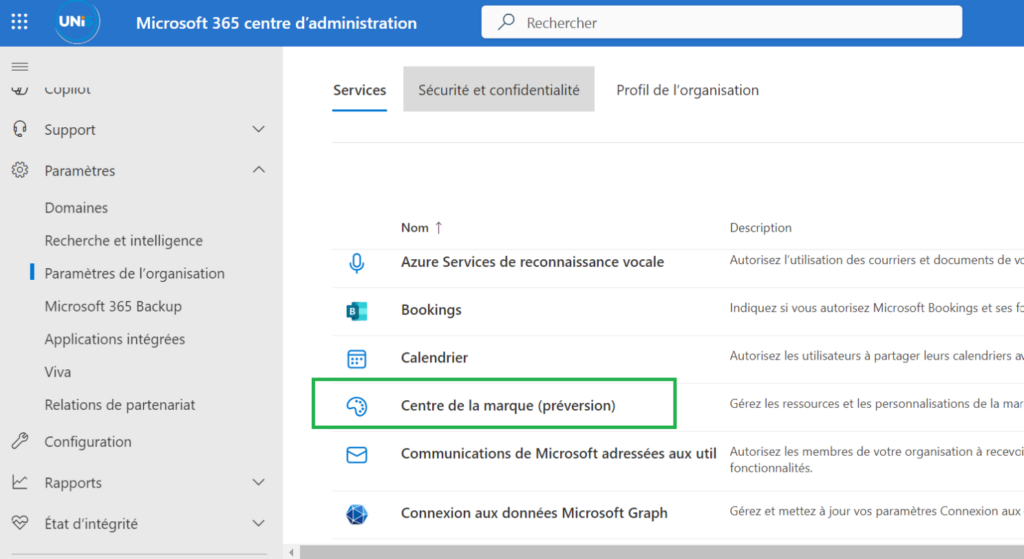
Étape 1 : Accédez au centre de marque
Allez dans le Centre d’administration Microsoft 365, sous Paramètres de l’organisation, sélectionnez Centre de la marque (préversion).
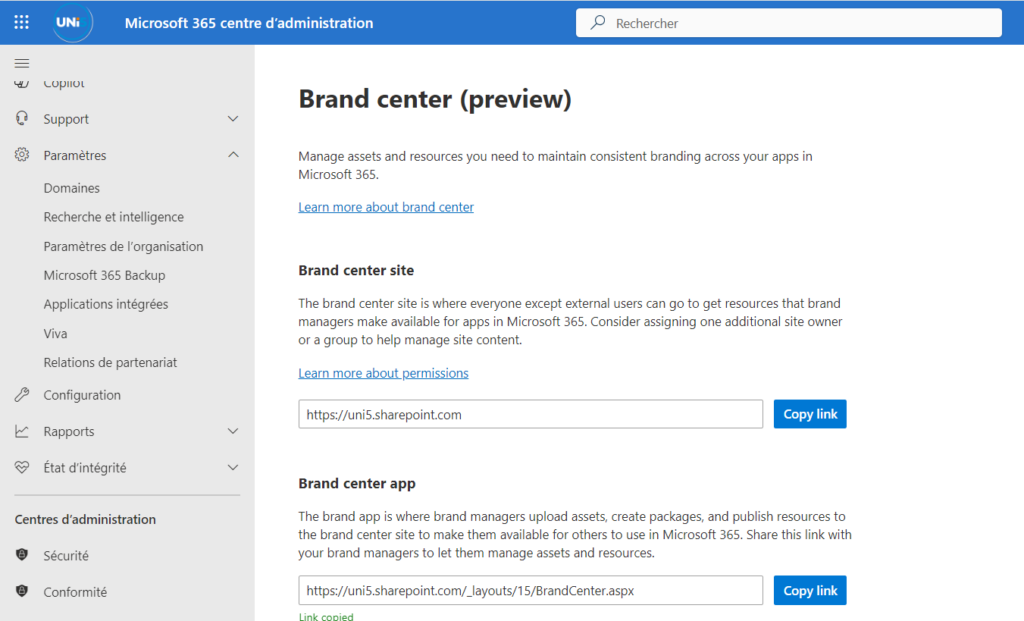
Étape 2 : Configurez votre site de marque
Créez un site de marque en entrant le nom et l’adresse du site. Activez le CDN public en donnant votre consentement.
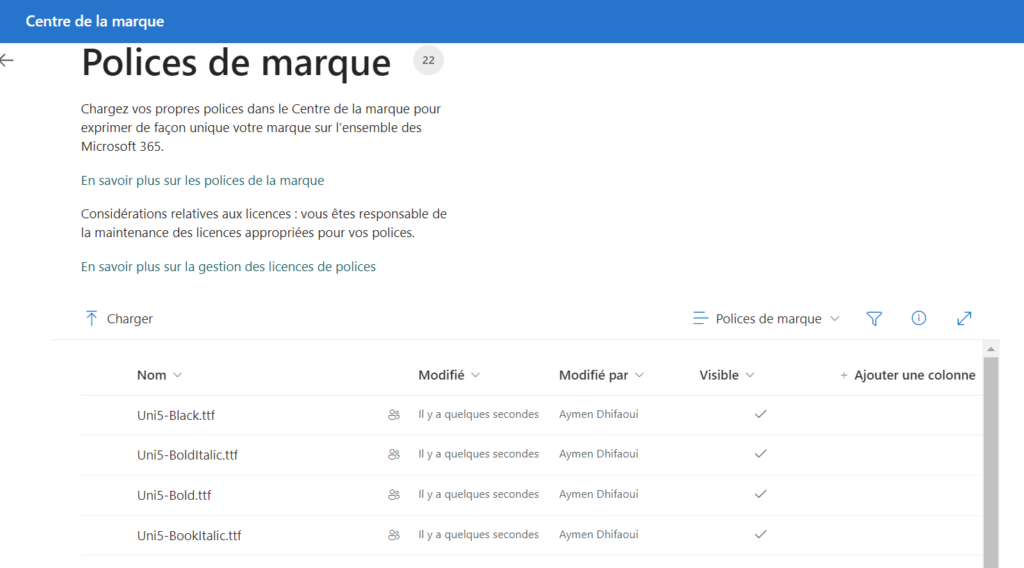
Étape 3 : Téléchargez vos polices
Ajoutez vos polices personnalisées au Centre de la marque pour une identité visuelle cohérente.
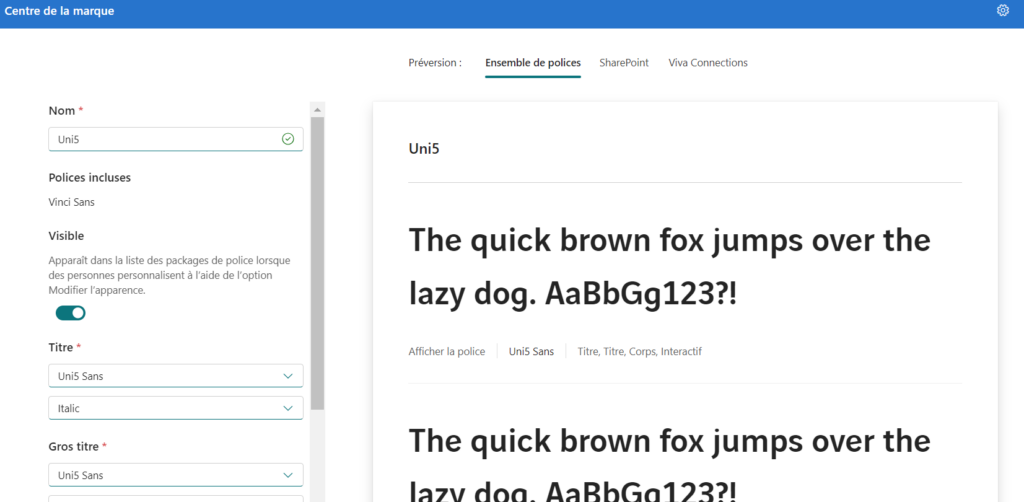
Étape 4 : Personnalisez vos polices
Définissez les polices spécifiques pour les titres, gros titres et textes.
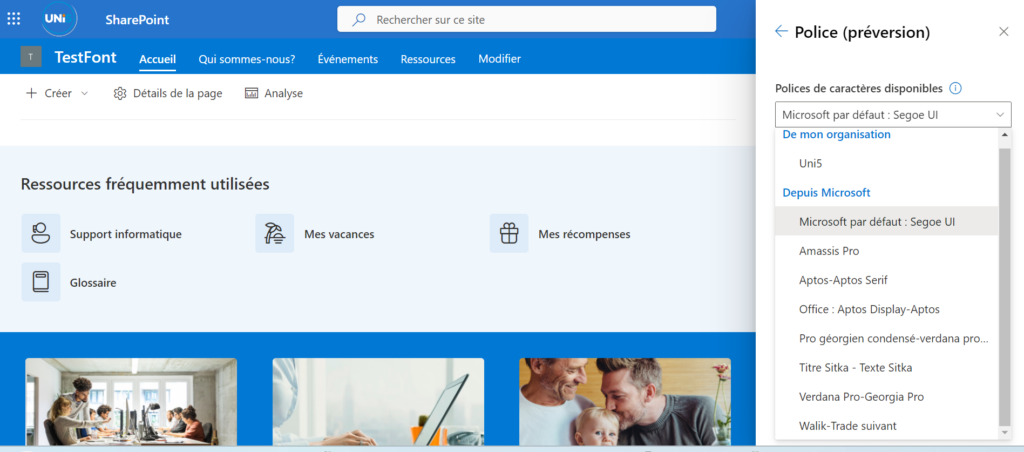
Choisissez les polices de caractères disponibles dans SharePoint.
Enregistrez vos paramètres pour appliquer les modifications
Étape 5 : Profitez d’une identité visuelle cohérente
Vos polices sont maintenant appliquées sur le site, garantissant une apparence professionnelle et uniforme.
Expérience utilisateur
Maintenant que nous avons découvert comment les administrateurs peuvent ajouter de nouvelles polices à l’application du centre de marque, explorons comment les utilisateurs peuvent tirer parti de ces nouvelles polices.
Pour cela, naviguez vers un site SharePoint -> icône de la roue dentée -> Modifier l’apparence.
Ancienne Expérience :
SharePoint sans branding personnalisé
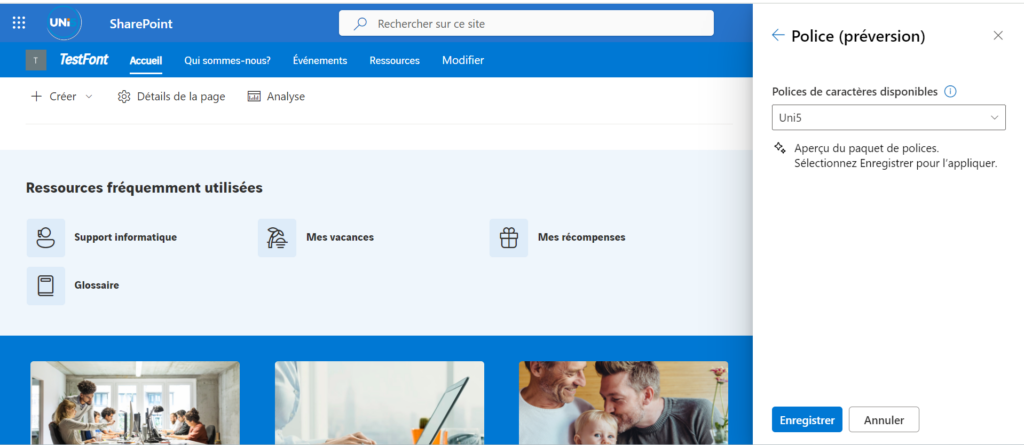
Nouvelle Expérience :
SharePoint avec des polices personnalisées via le centre de marque.
✨ Vos polices sont maintenant distribuées sur tout le site. De la même manière, vous pouvez personnaliser l’apparence de vos sites en sélectionnant ces polices nouvellement ajoutées via le centre de marque.
Pour plus de détails, consultez la documentation ici.