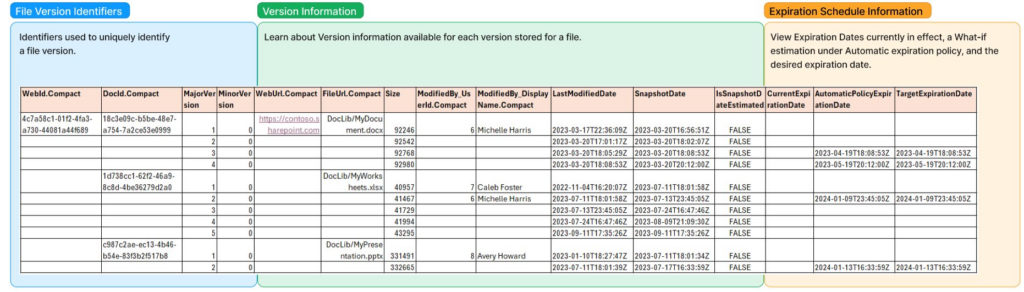
Le rapport d’utilisation des versions dans SharePoint Online est un document CSV qui détaille l’espace de stockage utilisé par chaque version d’un fichier dans un site ou une bibliothèque. Il fournit des informations telles que l’identifiant de la version, la taille, la date de dernière modification et l’utilisateur qui l’a modifiée.
Pourquoi générer un rapport d’utilisation des versions?
Optimiser le stockage : Avec le temps, les versions successives peuvent s’accumuler et occuper une grande partie du stockage SharePoint,.
Gérer les politiques de conservation: permet de visualiser les versions prêtes à être supprimées selon de la politique de conservation.
Analyser les habitudes de collaboration : Le rapport montre à quelle fréquence les documents sont modifiés et par quels utilisateurs.
À quoi ressemble le rapport d’utilisation des versions ?
Méthode de génération du rapport :
Pour lancer/suivre la progression d’un job de création de rapport d’utilisation des versions, on utilise les deux commandes suivantes sur la console de gestion SharePoint Online. Des commandes similaires sont disponibles pour PnP.PowerShell (PowerShell V7 requis).
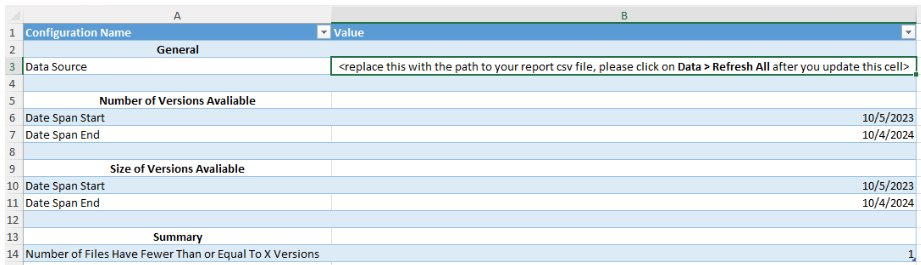
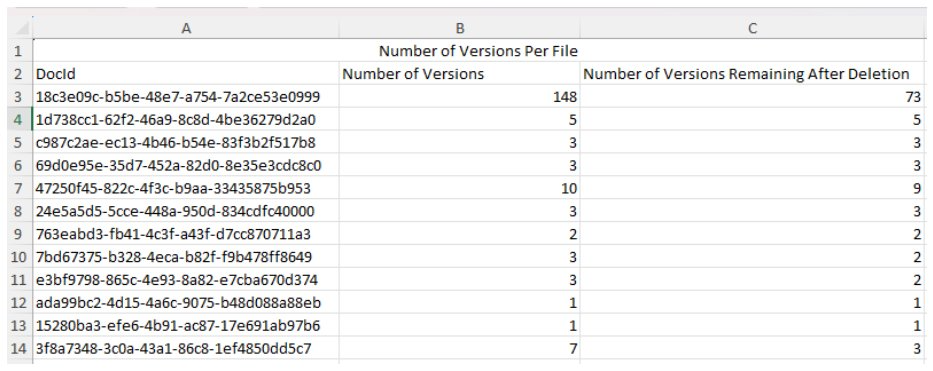
Un fichier Excel est mis à disposition par Microsoft pour analyser notre rapport d’utilisation des versions.
On peut visualiser rapidement le nombre de versions par fichiers et les nombre de versions qui peuvent être supprimées suivant notre politique de rétention de données.
Analyse des rapports d’utilisation des versions :
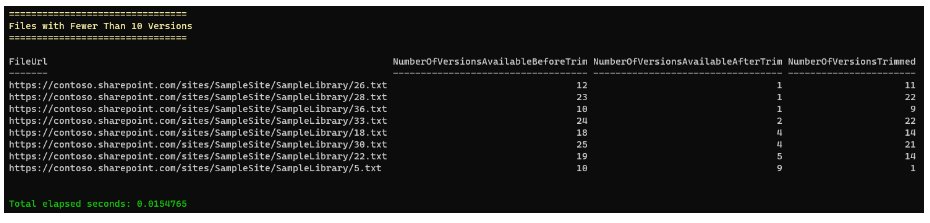
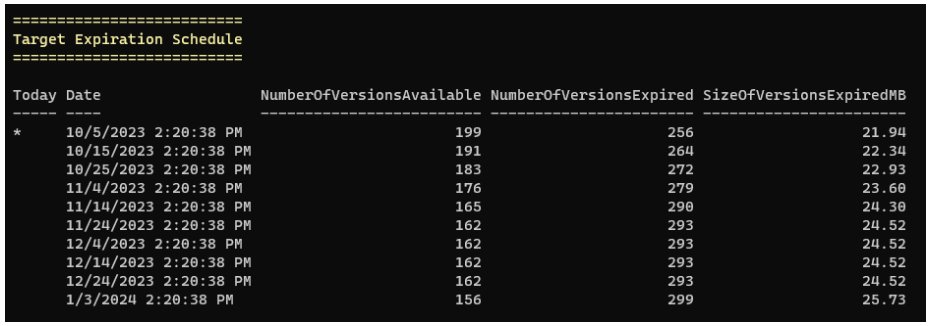
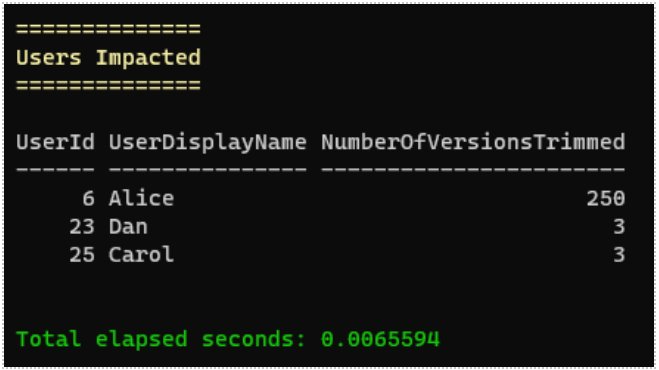
Un script PowerShell est par ailleurs mis à disposition par Microsoft pour analyser le rapport d’utilisation des versions pour encore plus de flexibilité.
Il est possible d’exploiter notre rapport pour obtenir différents insights sur le nombre de versions existantes et expirées.
Il est possible d’afficher le nombre de versions de fichiers pour chaque utilisateur, permettant de comprendre davantage les patterns d’utilisation de SharePoint par les collaborateurs.
Un grand merci à Anis Sibachir pour la rédaction de ce blog et le partage de son expertise !